Defining Quotas and Quoata full actions
Posted: 15. December 2023 Filed under: Uncategorized Leave a commentIn market research, the term “quota full” refers to a situation where the number of survey responses or participants needed for a particular demographic, behavioral, or other specified segment has been reached in accordance with the predetermined quota. A quota is a specific target number or proportion of respondents that a researcher aims to obtain from various subgroups within the population being studied.
Here’s a more detailed explanation:
- Predefined Quotas: Before conducting a survey, researchers set quotas to ensure that the sample of respondents accurately reflects the composition of the broader population or specific groups of interest. These quotas are often based on demographic factors like age, gender, income, location, or other relevant criteria.
- Reaching the Quota: As responses are collected, the market research software or system tracks the number of respondents from each subgroup. When the number of respondents in a specific subgroup meets the predetermined quota, that particular segment is considered “quota full.”
- Impact on Data Collection: Once a quota is full, the survey may no longer accept responses from individuals who fall into that specific category. For example, if a survey reaches its quota for women aged 30-40, subsequent women in that age group attempting to take the survey may be screened out or informed that the survey is closed for them.
- Purpose of Quotas: The use of quotas ensures diversity and representativeness in the sample, which is crucial for the accuracy and reliability of the research findings. By preventing overrepresentation of any single group, quotas help maintain the validity of the survey results.
- Challenges: Managing quotas can be complex, especially in surveys targeting a broad population with multiple subgroups. Researchers need to balance the sample accurately to reflect the population while avoiding biases.
questfox is able to automatically connect panel software with the questionnaire tool.
As the demand for complex quotas is rising we integrated a little detour to make that possible. questfox carries some tools to automatically assign answers into a report group.
A quota full is the point after which you do not further want to interview people of that category. example you want to 100 female answers and the 101st person will not be allowed to take that questionnaire. questfox carries some tools to automatically assign answers into a report group.
Is always the definition requires a fully programmed questionnaire or at least those questions which are at stake for the report group definition.
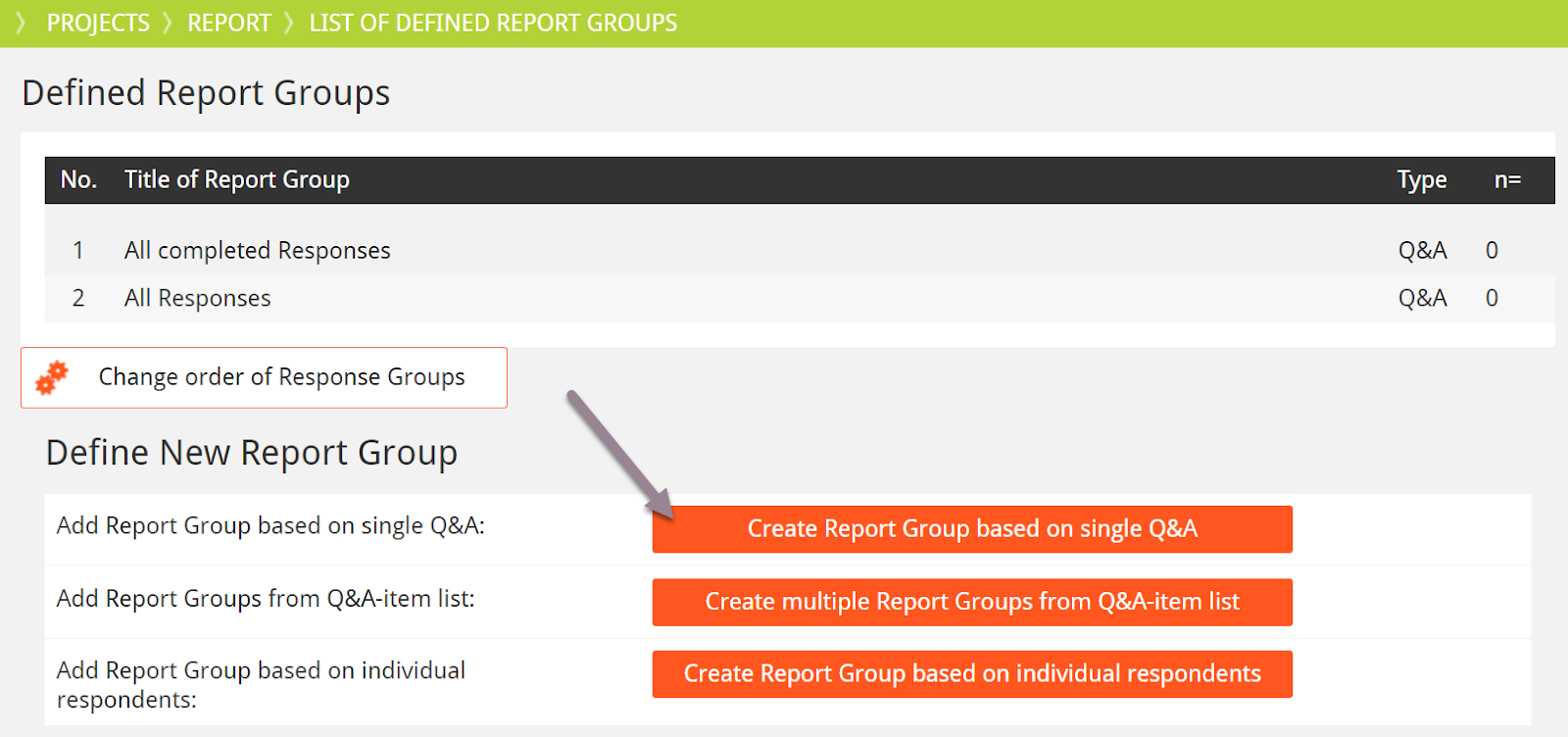
The first step would be that you define a report group in the environment of Report.

A report crew can be defined based on any value in the questionnaire. so it can also be used for calculated background values. in the following example we use the idea of a single Q&A answer as the basis for our report group.
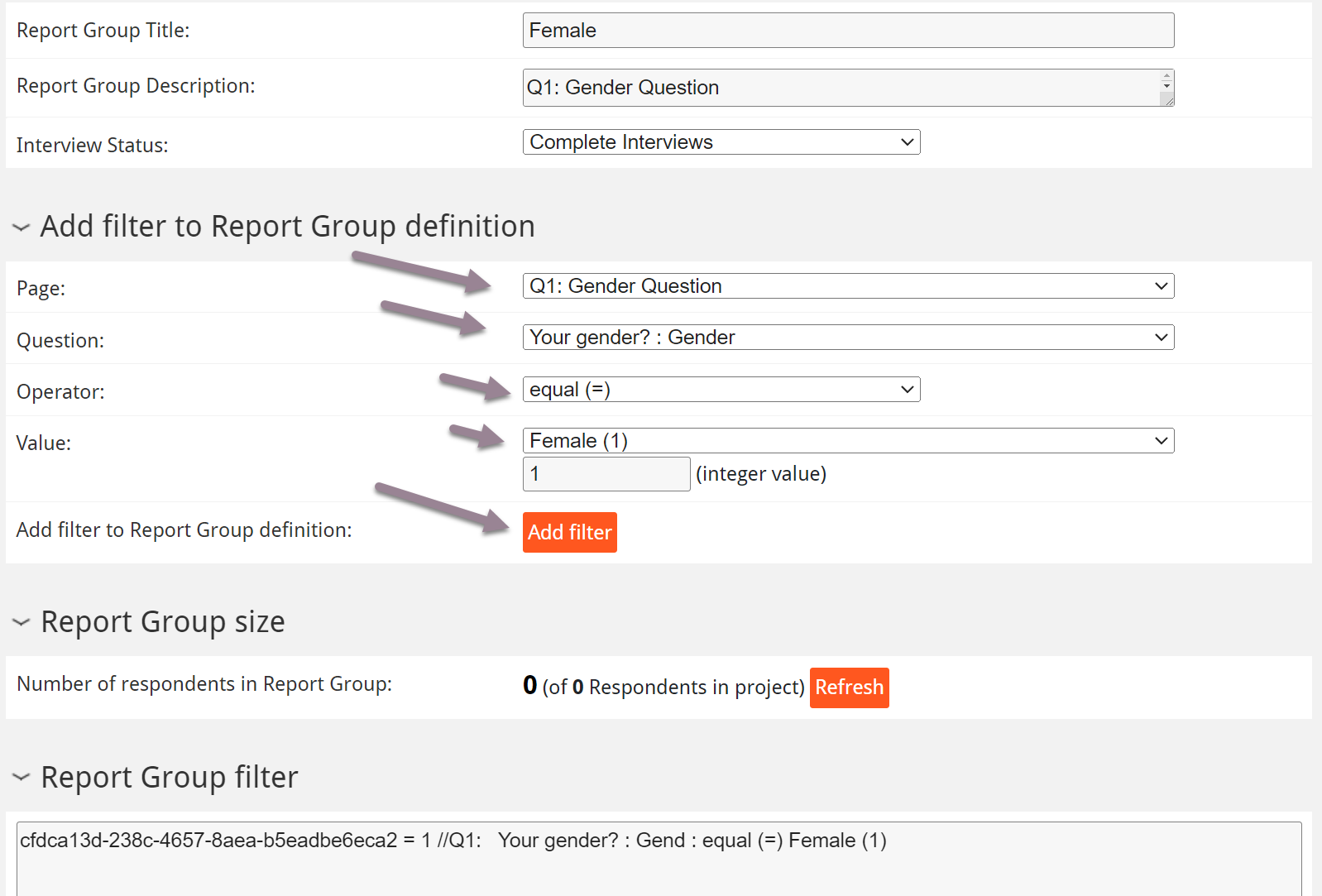
Please give your report group a name that you do remember and define the filter by using the exact page the question on that page and define the operator and its final value. do not forget to press the “Add filter” button which will bring your definition into the report filter list underneath. And then please press “Save”.
Your report group is now defined and the number of values is growing with each respondent clicking on that specific value. It is a good idea to define those response groups before you go online. They can become the basis of your reports and they can be used to automatically steer a panel based on this report group definition.
The default setting for the interview status is “Complete Interviews”. you may want to switch this to Different kinds of Status like dropouts or screen outs if you want to control for those.
In a standard market research project you may easily end up having 30 or more report groups. Real-Time Monitoring: questfox provides real-time monitoring of the report groups.
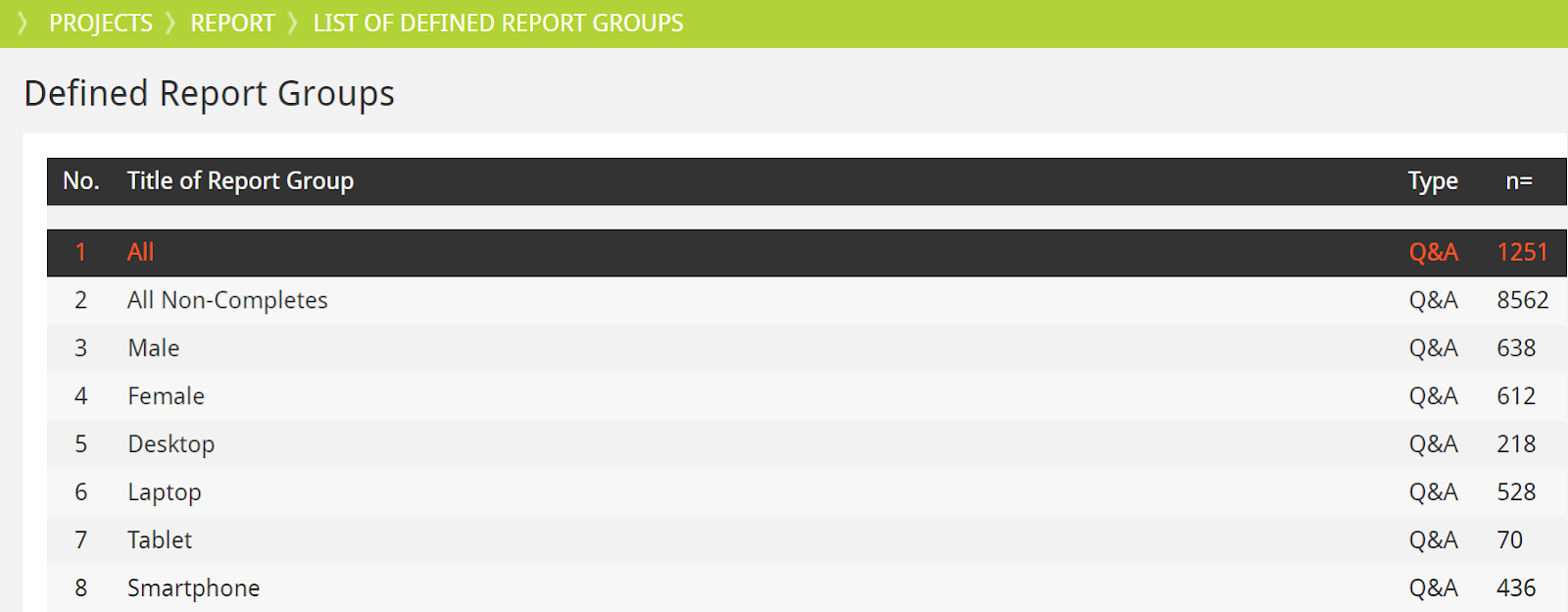
This means researchers can see how many respondents from each group have completed the survey at any given time, allowing for adjustments in data collection if certain quotas are being filled too quickly or slowly.
Those report groups that you want to use to automatically control the quota together with a third party panel inviting the respondents without you steering the process.
Setting Quotas: Initially, the software allows researchers to set quotas based on various demographic or behavioral characteristics of the target population. These characteristics can include age, gender, income, location, product usage, and more.
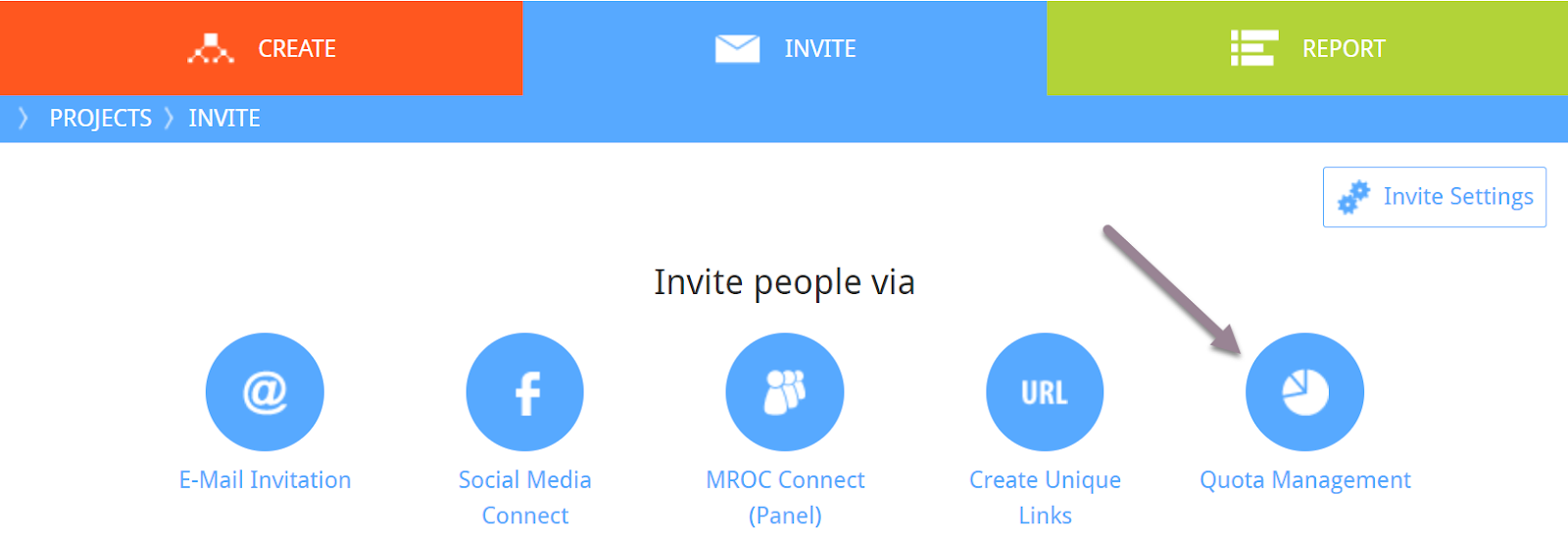
You can advance to the section INVITE Quota Management.
Under quota management you have access to the list of preview find report groups for the special usage of quota definition.
A quota rule is defined under “Add single quota rule”
Give your quota definition of fancy title that you later do remember.
Select the report group you are planning to use for the quota.
And define the maximum amount of people that you want to see in your survey based on this one group definition.

By the way it is always possible that exceed that defined limit depending on how many people are actually live inside your questionnaire. Example: if 20 people are taking the survey at the same time while being inside the questionnaire questfox is only able to send them back once the quota is complete. That means if someone is in the middle of the questionnaire and passed this quota check already you may end up having more than those 500 defined participants.
questfox is checking quota rules after every new page. The defauls for this quota check is set to “Always“

In order to save the respondents time and to make that interview faster we are advising to exactly define the last question after which the quota should be checked from the software. This speeds up the interview process and helps to precisely define the quota.

In the same section you can find a link which can be externally shared for example with the panel provider. This link is giving access to an overview of your defined quota management statistics allowing certain parties to see the quota development without seeing any specific data of your project.
Let’s sum it up again
- Step: programming of the questions and the answers necessary for quota steering
- Step: Definition of report groups inside of questfox’ report section. The definitions can be simple or complex with several rules to check
- Step: Selection of those groups needed for the quota management in the invite section of questfox
Screen-out Definition in questlogix
Posted: 15. December 2023 Filed under: Uncategorized Leave a commentScreening and Sampling: During the data collection phase, respondents are screened to ensure they fit into the predefined categories. So called “screen-out” is sending people away from the questionnaire.
Here is an example of a questionnaire that would send male participants away.
In order for you to start creating logics you need to program all your questions and answers that are needed for the logic upfront. Once the question is defined you can start creating a logic.
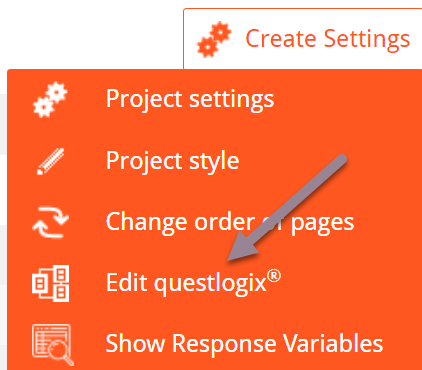
Under Create Settings – Edit questlogix – Add rule you are asked to define a condition and an action in case this condition is fulfilled.
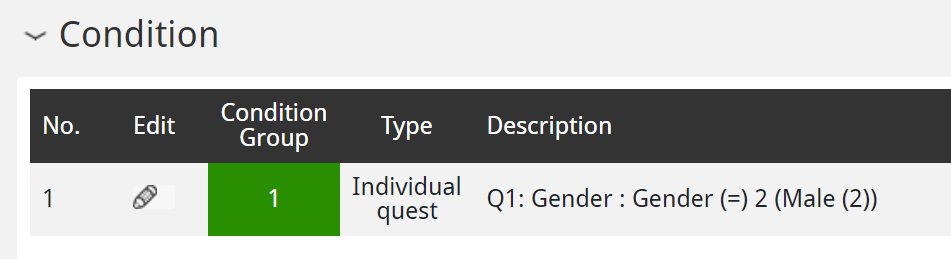
Under a condition you select the question and the respective answer that should be used as a trigger for the condition. In this example the question gender is answered with the value male.
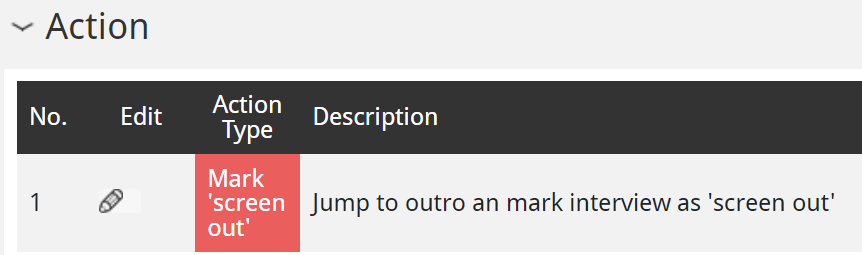
Out of The list of available actions in questfox you select “jump to outro and mark interview as screen out”

Once this logic applies you can send people to a different website after the Click. the website can be integrated under redirect URL

For testing purposes it is also helpful to integrate a special screen out message telling the tester which logic was used as a trigger. When informing respondents we normally try to hide the reason why they were screened out in order to not influence a second trial from that same respondent.
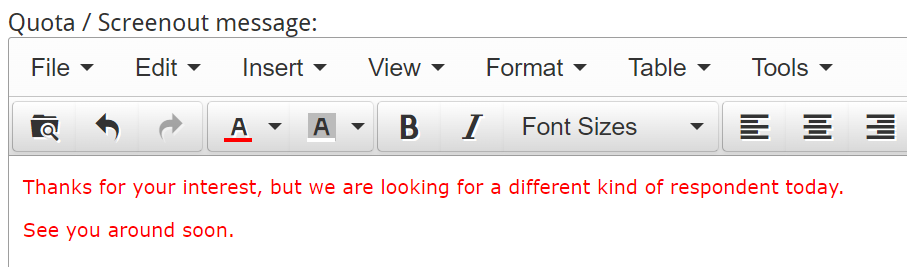
If you are working together with a professional panel provider they normally have their own messages so you rather leave that screen out message empty as it will be shown to the respondents for a glimpse of a second until they are redirected to the original panel partner.
 questfox News