Germany Map selector integrated into questfox®
Posted: 22. August 2013 Filed under: Uncategorized Leave a comment- Germany has 16 Bundesländer.
We integrated a new question type as a HTML 5 Selector. A participant can now just click on the map in order to answer.
Try this new and device agnostic function inside of questfox®
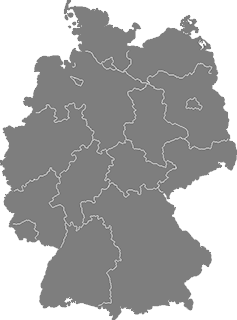
Map of Germany as question type in questfox®
The question is designed for device agnostic use and is functional on Desktop and mobile devices.
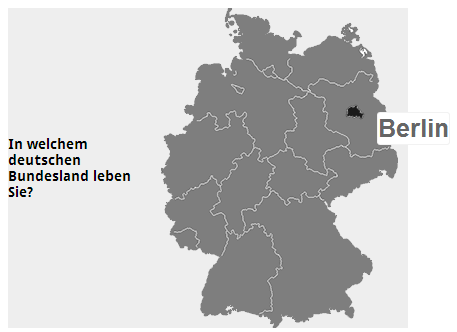
Device Agnostic Research with questfox®
Posted: 22. August 2013 Filed under: Uncategorized Leave a comment


questfox is ready for the device agnostic times in research.
No matter which device is used, questfox is able to adapt to the settings of the specific device.
questfox supports Desktop, Laptop, Tablets and Smartphones with different auto-sensing features.
We are still testing a lot with the universe of sometimes strange devices seeing the different behaviour of an online software in the different environments.
questfox works perfectly in the iOS environment and on Android devices. Nokia Lumia is still a challenge, because it behaves like a desktop computer.
Serious fun®: Gyroscale® integrated into questfox®
Posted: 20. August 2013 Filed under: Uncategorized Leave a commentWe proudly present a major step in market research development on mobile devices: The Gyroscale®
The gyroscale® is a development of pangea labs Switzerland, allowing users to answer in a market research process by moving their mobile devices into one direction.
Even though the use is already fun, the combination with a decision model makes it even more thrilling.
The combination is serious. Serious fun®
#newmr #mobileresearch #marketresearch #gyroscope
The screenshots show the first prototype of an implementation of the gyroscale® on a mobile device.

You can use the seetings inside a decision tree under

and then select the first two versions of the new and unique development in market research by pangea labs
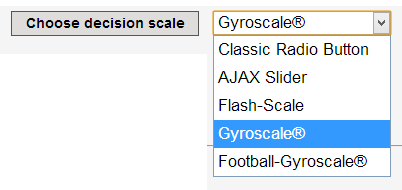
Selection of the new question type garoscale in the SaaS Tool for market research questfox
Looking forward to see your first new approaches in the world of analytic decision making
More complex hiding conditions available in questfox decision trees inside questfox
Posted: 20. August 2013 Filed under: Uncategorized Leave a commentAs our research projects become more and more complex the expectations grow.
It is now possible to combine a hiding condition inside the alternatives of a decision tree.
Inside the Alternative definition you will now see the option

with and / or.
Until now three combined hiding conditions are possible.
Update to new server farm finished
Posted: 19. August 2013 Filed under: Uncategorized | Tags: Server update questfox Leave a commentDear questfox user. The major update into a new server environment is now completed. The overall performance was the main focus of this update. From now on the times of high server load should be an issue of the past. Our growing environment can now keep pace with your development.
You will experience several new features. Here is a short list of some small improvements which came along with the database update:
- Complex hiding conditions in decision trees (up to three combinations of and/or relations within a single alternative of a decision tree
- New questiontype Email (Text type with a small check on symbols like @ and . )
- New panel gapF!ish integrated
If you should experience any kind of problems after the update please let us know under info@questfox.com.
Major update on wednesday 7.8.2013
Posted: 5. August 2013 Filed under: Uncategorized | Tags: Update; Server reach Leave a commentWe will perform some major updates on our server farm during this week.
The different questfox servers will not be reachable on Wednesday 7.8.2013 after 18:00 C.E.T.
You will be able to login again in the morning of the 8.8.2013 and will experience some new and thriling features inside of questfox.
Our excuses for any inconveniences. We hope that you will experience a lot of improvements after the update.
Price Sensitivity Meter now online with full graphical support inside questfox
Posted: 1. June 2013 Filed under: Uncategorized Leave a commentFor some years questfox is offering the Price Sensitivity Meter (Van Westendorp) in the classic type-in format.
Now the new feature of using graphical scaling has been implemented into questfox®


The trick is the combination of an integer question type with a graphical interface.
Using the integer question type you have to define the range and select an appropriate background graphic and handle.
In the following example the price range is set between 0 and 100.

The graphical question of the Price Sensitivity Meter will look like this.
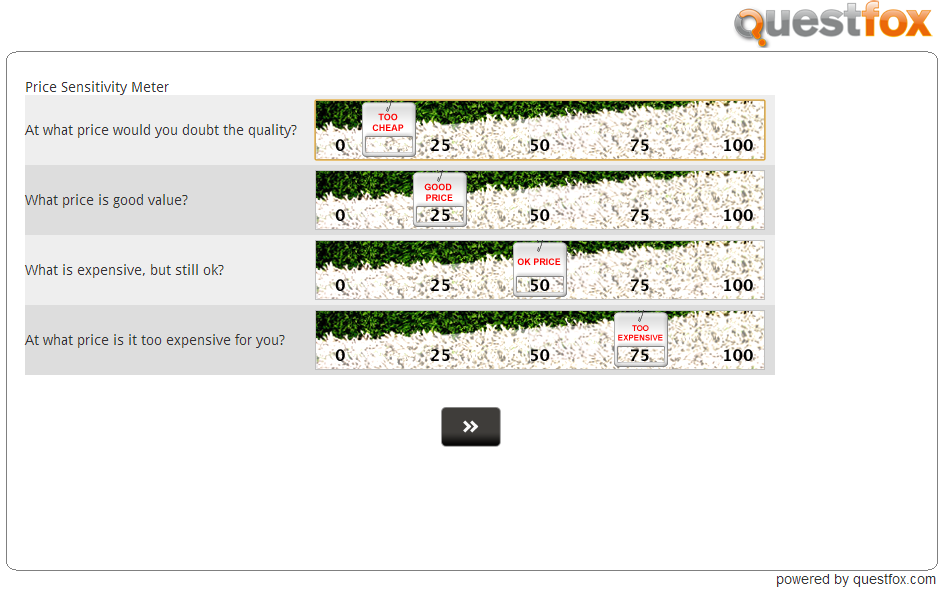
A little background check is performed, before interviewees can advance in order to make sure that the results make sense (The four answers need to be A<B<C<D).
Example of Drag and Drop Features in questfox
Posted: 5. January 2013 Filed under: Uncategorized | Tags: Drag n Drop; questfox; pangea labs; FunkyResearch Leave a comment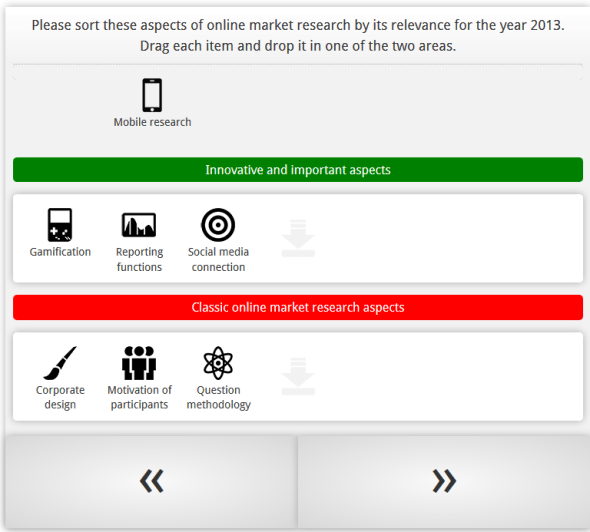
New features of new kinds of mobile research will be available inside questfox soon. Here is an example
Background color in graphical questfox output is set to neutral white now
Posted: 12. December 2012 Filed under: Uncategorized Leave a commentDesign is changing quickly in these days. Windows8 is a real shift in design for several industries.
Today we took away the slightly blue colored background from the questfox graphics.
The inner background is now purely white which should be much less in conflict with a company’s corporate design.
We promise more design changes for the year 2013 in questionnaire design and in output design.
New interactive live online charting tool for decision trees integrated in questfox
Posted: 9. November 2012 Filed under: Uncategorized Leave a commentquestfox allows you to use a new online charting tool in decision trees inside of questfox.

By integrating the command {showTreeChart} into the feedback options of a decision tree, you can easily integrate an interactive graphic while still interviewing.
The following screenshot from an interactive chart shows you how it looks like. Colors are defined by the color of the attribute or alternative.
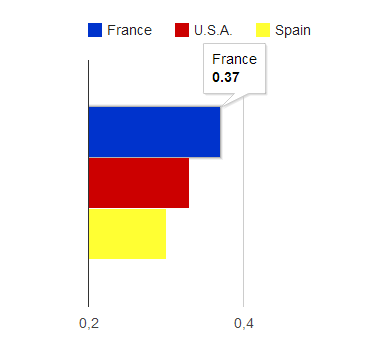
New function of questfox with online charting tool
We are still in test mode. More graphical reporting upcoming…
 questfox News