Agile Presentation from Live Data with questfox Living Reports
Posted: 14. July 2021 Filed under: Uncategorized Leave a commentFor years we are promoting the idea of live presentation right from the data collection tool. See our post from 2015.
To be honest we are not really successful as users tend to rely on the idea of downloading and organizing data on their own hard disk.
We are not giving up promoting the idea and we support your agile reporting with some updates in the section of questfox reporting.
After the definition of your report you can find the View Living Report inside your report.

Every questfox Living Report is organized by the chapter headline. You can right away run into your section or scroll down through your report.
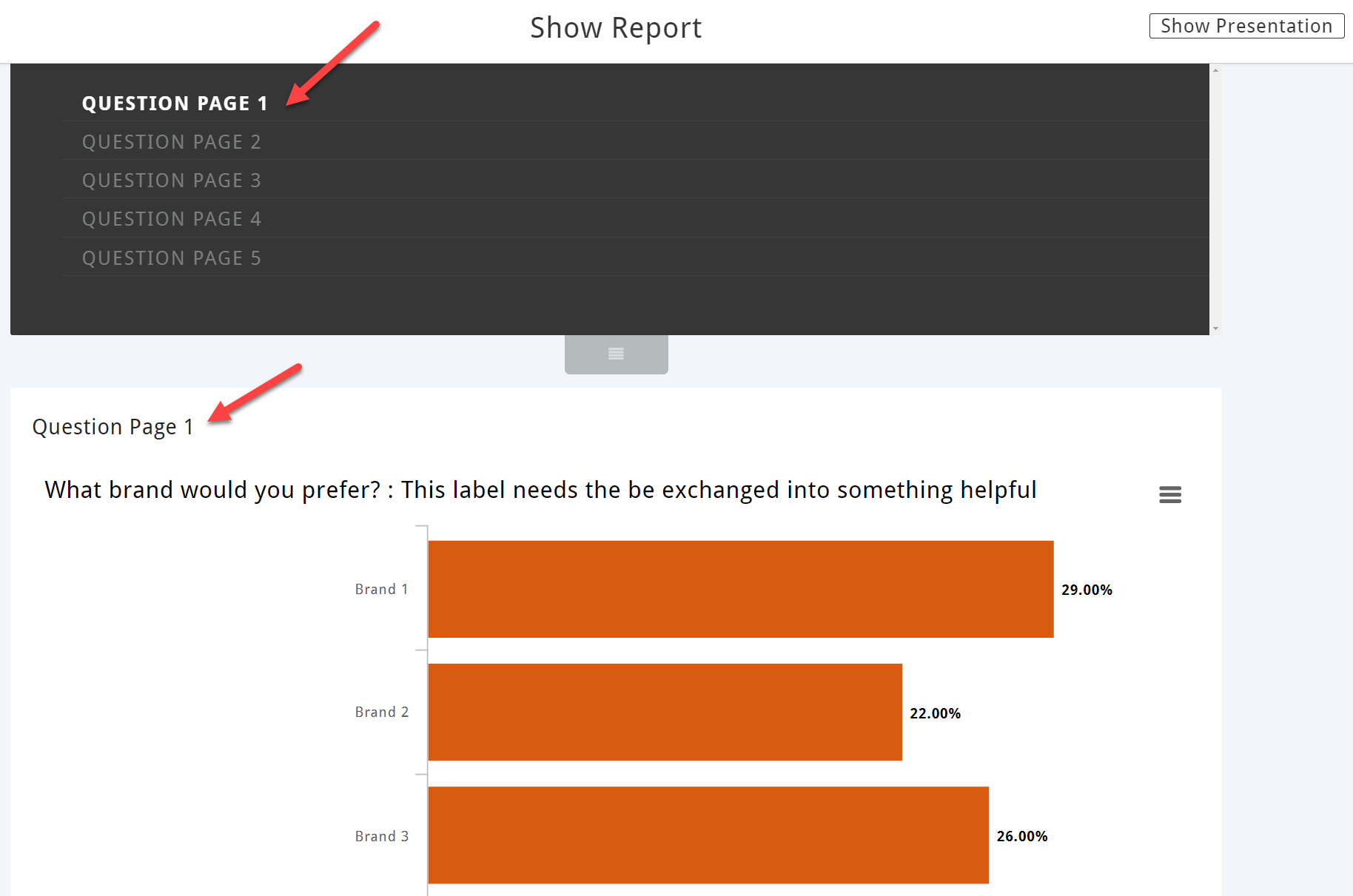
If you plan to show the results to someone please click on Show Presentation

Your report will be presented chart by chart. Clicking on the right side brings you to the next page
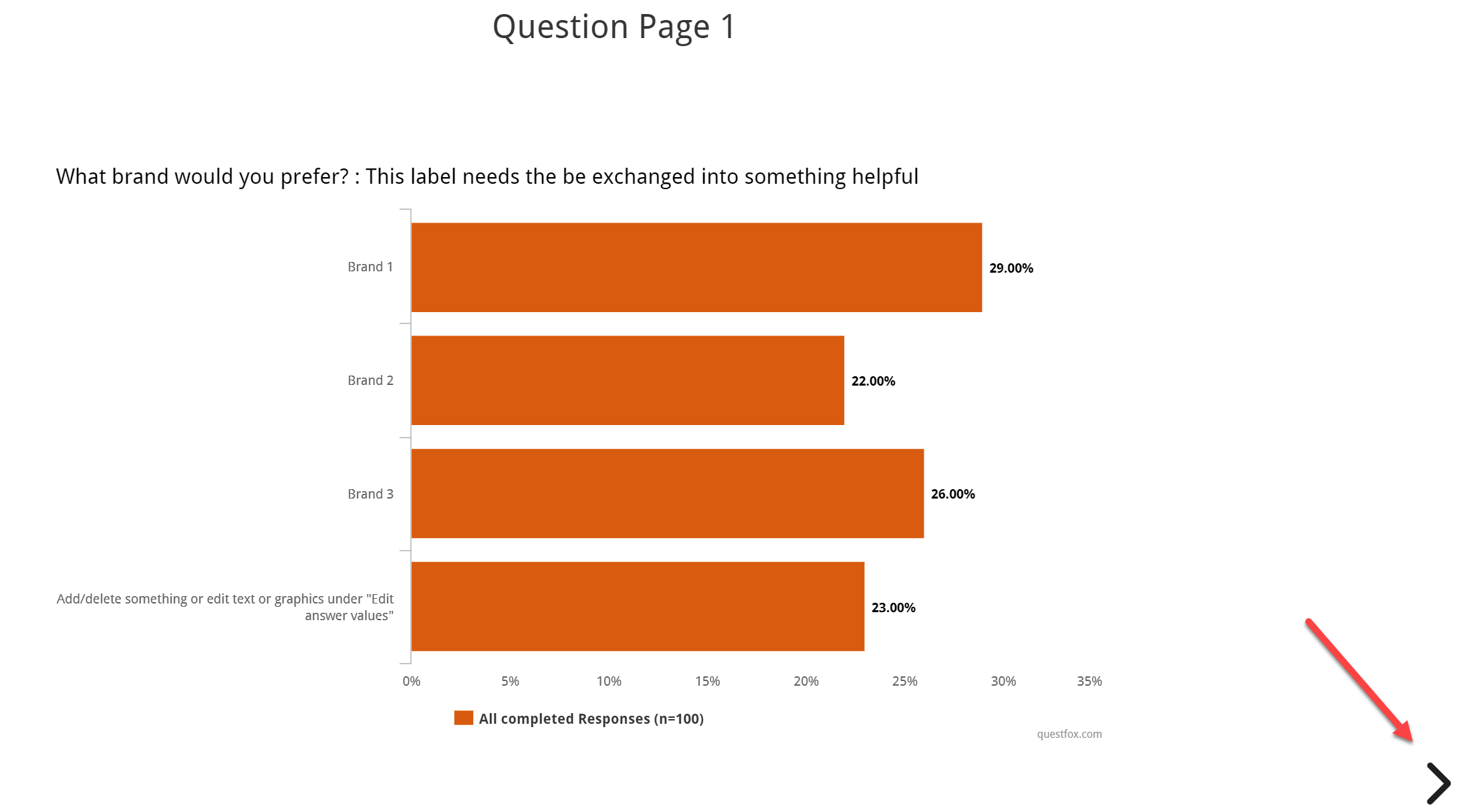
You can move forward and down (in case there is more than one chart on the side) and later back.
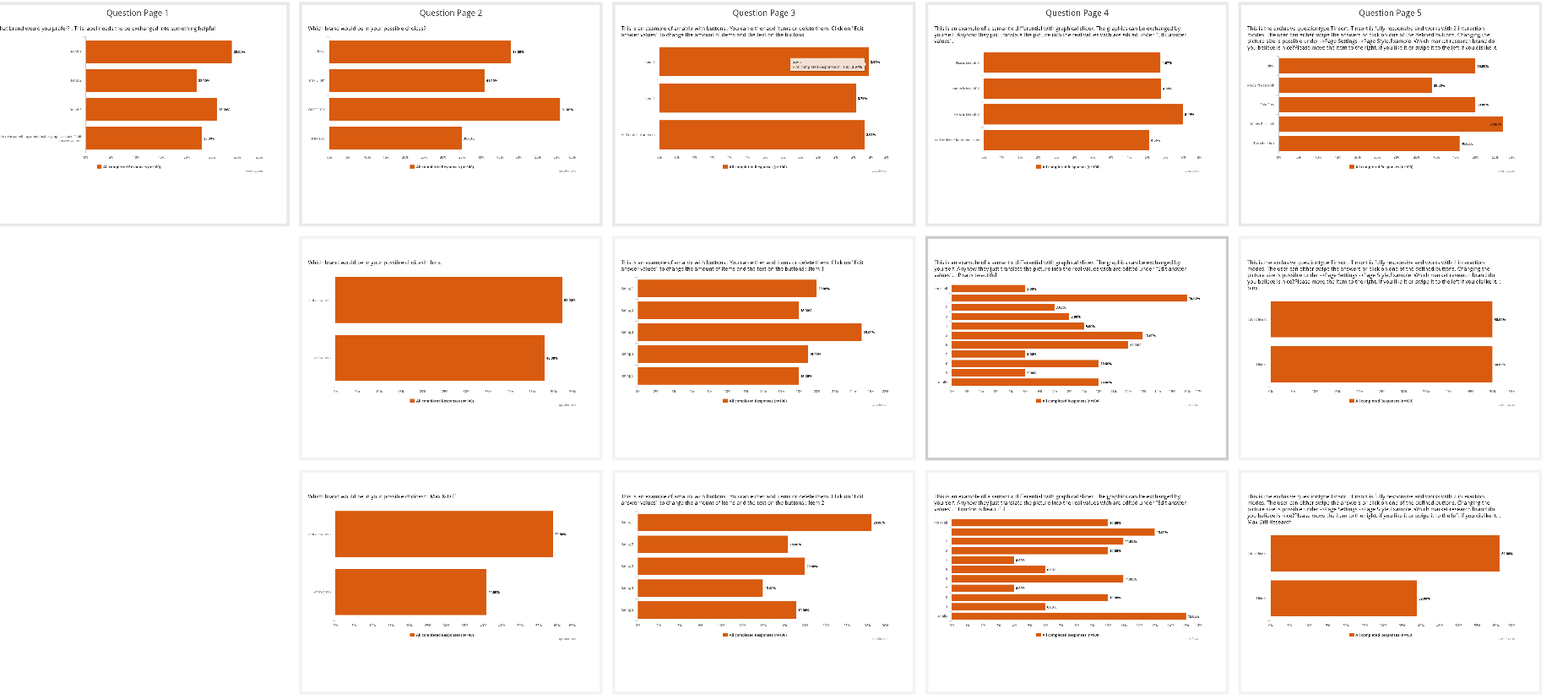
Pressing ESC will bring you to the general overview. From there you can right away click onto the desired slide.
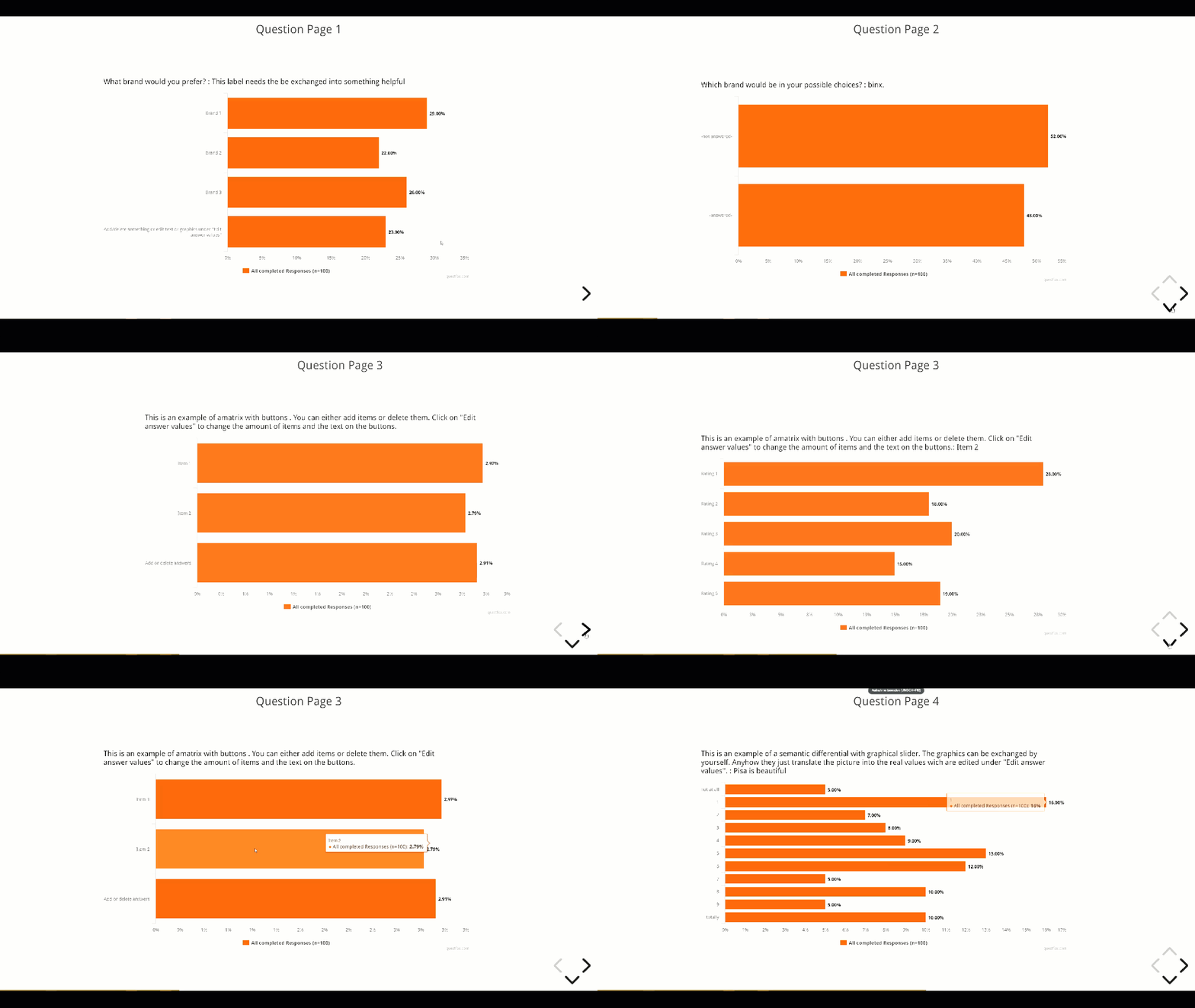
Overview of Living Report

A hint from outside of questfox:
You can set Google Chrome, Internet Explorer, Microsoft Edge, or Mozilla Firefox to full screen mode on a computer, hiding the toolbars and address bar, by pressing the F11 key on your keyboard. To reverse this action and show these items again, press F11 once more. Your presentation will look like a PowerPoint presentation in full screen mode.
Hoping to inspire your research with this supportive toolset.
questfox mission Speech in Research for iOS completed #questfox FeatureAlert
Posted: 24. April 2021 Filed under: Speech2Text | Tags: Apple, feature, iOS, questfox, real voice of the customer, Research, Speech Leave a comment
Speech questionnaires with Apple iOS devices now available in questfox.
Since 2017 we already offer speech interviews on mobile or desktop devices powered by questfox. In 2019 we were awarded with the Best Practice Award from the German Society for Online Market Research (DGOF) for our study comparing the input of classic type-in keyboard input vs. voice input and video input with transciption of the speech. The study was one of its kind and a breakthrough in innovative online research.
But two years ago – for the first time in years – we were not able to follow our basic “device agnostic” paradigm as it was not possible to use these crazy new speech features on all devices available. The market driven fight between major players of the IT industry makes it necessary to cope with different approaches of technology.
Finally our fantastic development team made it happen. We are proud to offer the questfox feature set for speech in research questionnaires now to the Apple/iOS universe too.
Decision makers run on Apple devices
Even though the Apple world is a minor group in terms of market share and representativeness in market research, most of the decision makers run on Apple phones. These were the sceptical people not believing in our technology as we could not offer it to them. Hope to prove you wrong one more time.
The only excuse now left to not use speech questionnaires in research powered by questfox is a missing willing to innovate. All innovators are invited to work with us on new forms of research. The tech base is just the fundament to build new interactions in research far beyond the classic Likert scale.
Constant battle to innovate in research
The next battle we will be fighting in this field is to make change happen. A new paradigm of social interaction is available now. We are looking for totally different ways of asking questions. Leaving technology barriers behind now we are exploring new horizons.
All existing achievements of questfox are now available on some more millions of devices.
The 120 languages covered by questfox can now be used on iphones and Mac computers in Safari too. We will now be testing the settings where speech is still not possible and report on this. For sure there will be incompatibilities with older systems and older browers. But time is on our side….
Please update to the latest iOS 14 to be up to date for security reasons and to be able to participate in studies with voice. The new questfox features from covid year 2021 are probalby not working on Windows 95 and Internet Explorer. So please do not ask us if we can time travel to support stuff you should have updated long time ago. This is the time for change. So please also adopt and let us talk how we can change the world to make it a better place.
Why Speech in Research?
We believe (and can prove with data) that this technology opens the door to new kinds of research. Quant research will now be able to integrate more qualitative input. More data can be captured in less time. This is a way into sustainable research we definitively need.
More to read from the questfox team
WaveNet Text-to-Speech integrated into questfox
questfox Special Vocabulary Training for Speech2Text with new OOV feature
Speech2Text in questfox #time #confidencescore #realvoiceofthecustomer
Client’s SFTP Server integration for audio files
questfox.news is now online
Posted: 24. April 2021 Filed under: Uncategorized Leave a commentWe are trying to seperate the domain landscape of questfox a little.
Since 2020 the website to get in touch with us is available under www.questfox.online
The news blog is available under www.questfox.news
And the one and only questfox tool remains available under www.questfox.com/admin.
How to manipulate fonts in CSS with questfox
Posted: 24. April 2021 Filed under: Uncategorized Leave a commentIt is possible to use different fonts in a questfox survey.
If you have a corporate font that is not publicly available you should talk to your representative to help install this font on the server.
Public fonts:
If you plan to use a font out of the variety that Google is offering in the goolge font project we recommend to chose a font from this website:
Import font on the fly from google servers
/*Import of font into project */
<style>
@import url(‘https://fonts.googleapis.com/css2?family=Satisfy&display=swap’);
</style>
/*Definition of font for your project */
body {
font-family: ‘Satisfy’, sans-serif;
}
How to manipulate the question text on top of the question?
.questionText > span > p{
font-size: 1.5em;
font-weight: 600;
}
/*Definition of font */
body {
font-family: ‘TeleNeo’, sans-serif;
}
CSS Selectors in questfox
Posted: 24. April 2021 Filed under: Uncategorized Leave a comment- There are two ways to affect the text layout of questfox projects
A) Definition of CSS on client area level (-> Branding)
B) Definition of CSS on project level (-> Project characteristics)
- All text elements in questfox can be modified via CSS
- There are certain CSS selectors for the various text elements in questfox
- Some text elements share the same CSS selectors
- Various properties can be applied
- A typical questfox project with different question types and decision trees demands up to 16 different CSS selectors
How to format the text underneath indicating Imprint and Data Security Rules
| CSS selector: .branding_sub_text Effect: Defines the small branding text on the down right side of the project window | CSS code example |
 | .branding_sub_text { color: #022D61; font-size: 1.2em; font-weight: bold; text-align: left; } |
CSS for Analytic Hierarchy Process (AHP) / Decision Tree
The AHP is a very specific idea inside of questfox. Following the algorithms of Thomas L. Saaty we developed out own approach of how to ask questions in the pairwise way.
| CSS selector: .ahp_context Effect: Defines the title text of a decision tree question | CSS code example |
 | .ahp_context { color: #022D61; font-size: 1.2em; font-weight: bold; text-align: left; } |
| CSS selector: .ahp_contextDetail Effect: Defines the description text underneath the title of a decision tree question | CSS code example |
 | .ahp_context { color: #022D61; font-size: 1.2em; font-weight: bold; text-align: left; } |
| CSS selector: .ahp_question Effect: Defines the question text of a decision tree question | CSS code example |
 | .ahp_question { color: #022D61; font-size: 1.2em; font-weight: bold; text-align: left; } |
| CSS selector: .ahp_versusText Effect: Defines the versus text of a decision tree question | CSS code example |
 | .ahp_versusText { color: #022D61; font-size: 1.2em; font-weight: bold; text-align: left; } |
| CSS Selectors #ahp_option_left #ahp_option_right Effect: Defines the versus text of a decision tree question | CSS code example |
 | #ahp_option_left { color: #1d537f; font-size: 1.4em; font-weight: bold; text-align: right; } #ahp_option_right { color: #1d537f; font-size: 1.4em; font-weight: bold; text-align: left; } |
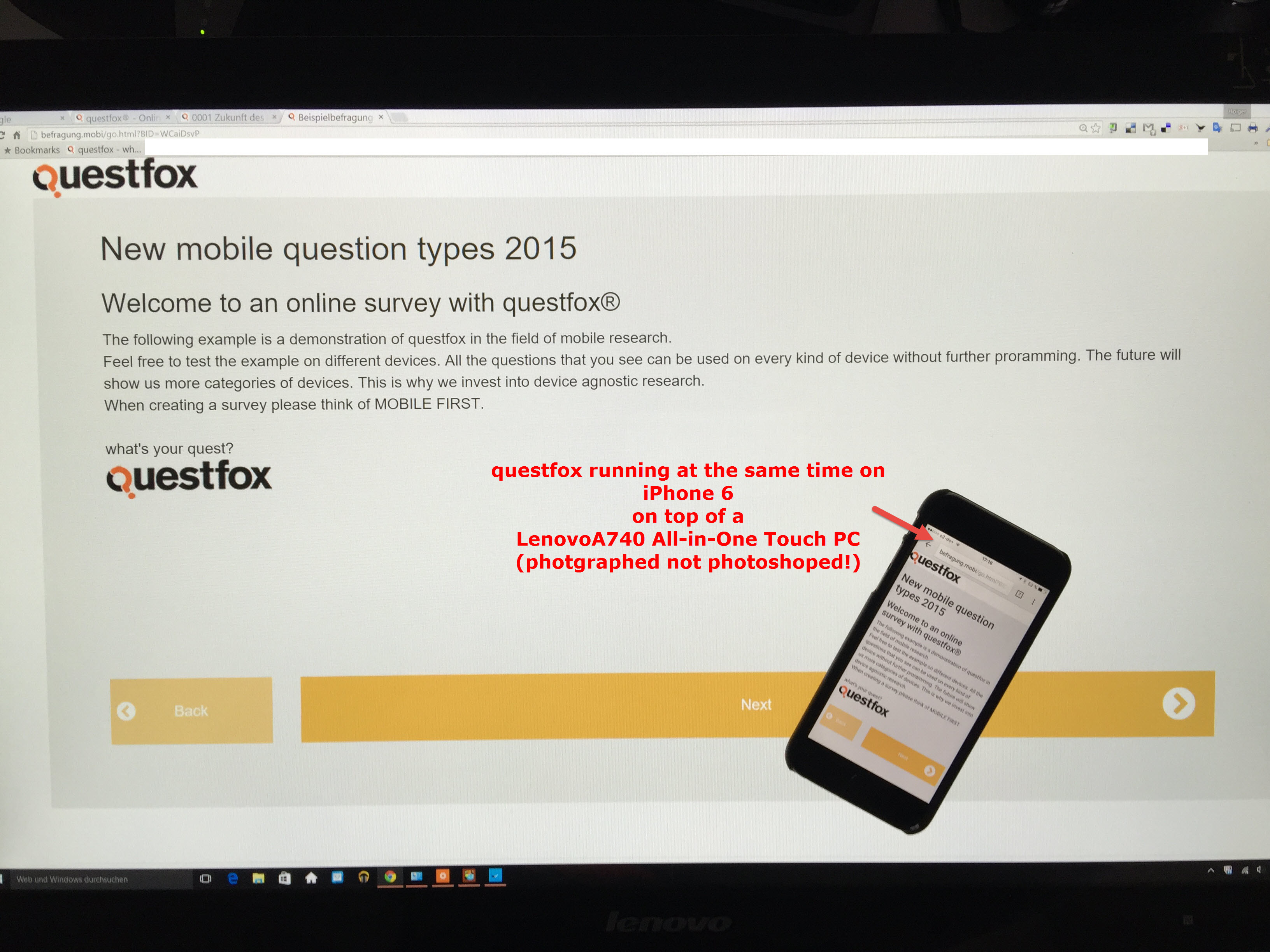
Befragung.mobi shows you the device agnostic world of questfox
Posted: 24. April 2021 Filed under: Uncategorized Leave a commentWe are about to launch the mobile device agnostic version of questfox.
Soon you can experience questfox on the biggest or smallest screens without changing anything.
questfox will be the professional market research solution which contains.
Using your own font in questfox
Posted: 17. April 2021 Filed under: Uncategorized Leave a commentFonts can support or destroy your research project
It is possible to integrate your own font into a research project.
Make sure that your font makes sense in research terms. Sometimes it is also helpful to not disclose who is asking by exactly not using your own corporate identity elements.
There are several ways to do that.
Importing Webfonts into questfox
You can integrate fonts which allow the using via internet. Please see the description of how to do that on fontawesome.
Import of Google Webfonts into CSS is explained here:
https://www.w3docs.com/snippets/css/how-to-import-google-fonts-in-css-file.html
Inside of the google fonts there are different ways of how to import a font into your project.
@import url(‘https://fonts.googleapis.com/css2?family=Lora&display=swap’);
Using your own non-public font
A lot of companies do have their own corporate design font. In case you plan to use that font this is the way:
- Make sure that you have the right to use the font.
- Install the font on an accessible server
- Integrate the font into the questfox project CSS
Example Official Berlin Font “Berlin Type”
Sometimes fonts are published for the use. Make sure that you do cover the licence agreement when using this font for market research.
We downloaded the font of the Berlin Senate here:
https://wir.berlin/fileadmin/downloads/Wir.Berlin_Schrift.zip
The font is installed on the questfox server now.
You just have to implement the following code into your project’s CSS
body {
font-family: ‘WirBerlin’, arial;
}
In case some computers/phones are not able to use this font there is a second font defined that should be available on any device (arial in this case).
Have fun creating more beautiful looking questionnaires.
questfox server now operating on german premises
Posted: 26. March 2021 Filed under: Uncategorized Leave a commentThe GDPR rules are already implemented into questfox for years. But still more and more german clients ask about the server infrastructure as they need to include this into their contracts.
From today on questfox.com is running on a Microsoft Azure server system located inside of Germany.
It does not change anything for the user, but for some people it just feels better. 😉
Independent from this step we continue to be devoted to the highest standards of data security. After 15 years of operating the questfox system we know that the user itself is the risk category no. 1. So keep your passwords secure and never share your logins with anyone.
NEW Maths function in questfox
Posted: 8. March 2021 Filed under: Uncategorized | Tags: missing values, qf_avg, qf_sum, research mathematics Leave a commentMathematics is clearly defined for centuries now. questfox is offering you a set of mathematical operations since the beginning of our development from the standard toolbox of database manipulation.
See our special questfox functions under https://questfox.news/2021/03/08/how-to-calculate-with-missing-values-in-questfox/
Besides those questfox specific procedures we are using a bunch of functions to interact with mathematics. The Jace.NET framework is now used to support your calculation inside of questfox. More info under https://github.com/pieterderycke/Jace/wiki/Standard-Functions
Here is the list of functions so far to be used inside of questfox calculations.
What do you have to do?
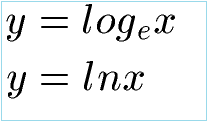
Syntax check from ln to loge
Please check your questfox project for the correctness of the syntax. For example: The formerly implemented function ln is now called loge. You now need to switch to this new version in order to perform those calculations in the future with questfox.
How to calculate with missing values in questfox
Posted: 8. March 2021 Filed under: Uncategorized Leave a commentSometimes a question is skipped or not even shown to a respondent. This creates a missing value (e.g. -77). If your use standard mathematical procedures for a list of respondents, the missing values will destroy your calculation. In order to adress this problem in a live environment we developed our own approach to handle this. We are adding functions to this world of math by creating our own formula for the market research world being able to create a sum or an average respecting the fact, that someone did not see or answer a question. Our operations for the so called “missing values” help you to analyze correctly long before you can do similiar things with sophisticated tools like SPSS. See our idea of how to treat missing values https://questfox.news/2021/03/08/missing-values-in-market-research-with-questfox/
When you then want to calculate with a variable that contains “missing values” you will face trouble in the analysis. questfox has two special functions to take that into account.
The syntax is described here
| qf_avg() | Returns the average value of the input values (separated by comma) and excludes missing, not seen and not answered values. qf_avg(@81c4af14-4857-49b8-9dd7-449b33e73e60@ , @7151c6d2-48af-4619-8318-39b62aa99b07@) |
| qf_sum() | Returns the sum of the input values (separated by comma) and excludes missing, not seen and not answered values. qf_sum(@81c4af14-4857-49b8-9dd7-449b33e73e60@ , @7151c6d2-48af-4619-8318-39b62aa99b07@) |
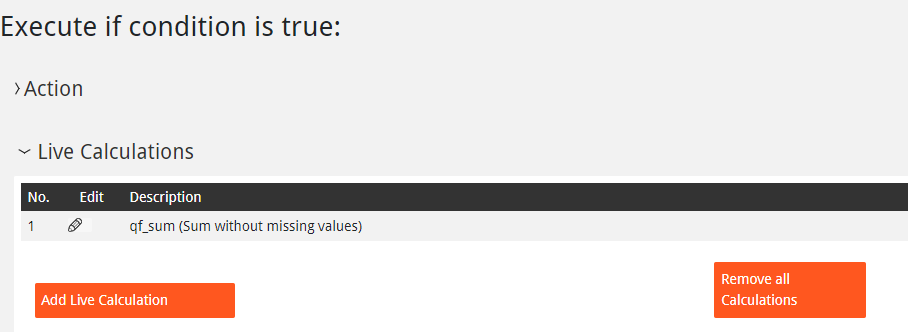
We suggest to ad an invisible number inside the question page and calculate right into that hidden variable. You can later use this value as a trigger for questlogix or to show this value live to the respondent.
 questfox News