Import into Excel right from questfox
Posted: 21. October 2012 Filed under: Uncategorized Leave a commentWe just launched a new import feature, which allows Excel to import selected tables from a questfox report.
The function can be found in

Select the desired group and define the report view.
Then click on:
The link to be used inside of Excel is the external link under “All in one report”
Copy and paste this link into the import function of Excel.
Please remember that this action is heavily consuming server resources and will sometimes take up to several minutes.
New questfox website online
Posted: 2. August 2012 Filed under: Uncategorized Leave a commentFinally a new website went online yesterday during the swiss national holiday.
Hope that you like our new design
questfox manual updated
Posted: 2. August 2012 Filed under: Uncategorized Leave a commentA new version of the questfox manual is uploaded.
You will find the updated handbook inside your project on the upper right side.
Click on  to access the handbook.
We know that some topics are still not covered by the manual, but we are working on it.
Textwork function activated; Translations much easier now
Posted: 14. May 2012 Filed under: Uncategorized Leave a commentThe final test phase of a function that will help you (and others) to work on the text of a questionnaire in a separated interface is finished.
The idea is, that someone who is not familiar with questfox at all, can edit the final texts in a survey (including intro text, mail text, items, scale labels etc.)
The Textwork feature is now available in the CREATE area under

This function can also be used to translate projects quickly. We are working on a time limited external access to this feature in order to allow interpreters to translate a project with all details without knowing what questfox actually is. Please allow us some extra time in order to publish this marvelous feature which will be a boost to your international projects.
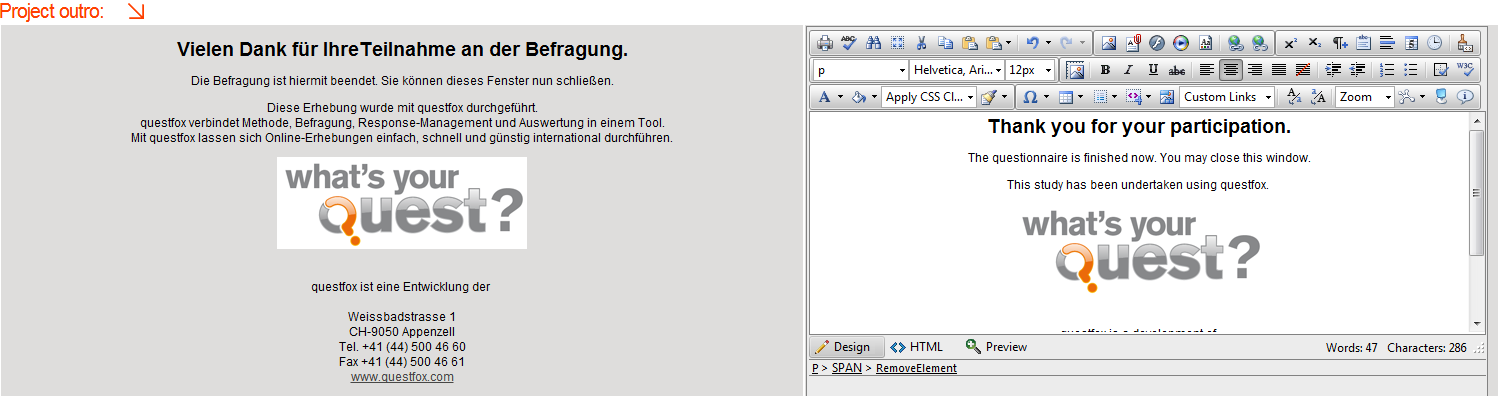
Here is an example of the feature that you will soon be able to use.
New function: encrypt image URL
Posted: 21. April 2012 Filed under: Uncategorized Leave a commentA new function to encrypt a URL is online.
This function can be used to protect images during a survey.
The function can be found in the File Manager 
Select the image you uploaded before and press encrypted image url (the image can only been seen within a running survey)
A really long link is generated. This link can then be implemented inside a survey.
If the link to the survey is given to a third party the encrypted picture will not appear on screen.
Data calculation: new mean value calculation without missing values as seperate process
Posted: 8. January 2012 Filed under: Technology, Uncategorized | Tags: Update Leave a commentA new function in the data calculation is now allowing to calculate mean values without taking the three different missing values of a variable into account.
The syntax qf_avg(var1 , var2 , var_n) calculates the mean without the defined missing values of each variable into a defined variable.
Because of the intensity of this new function on the database server, the operation is now taking place in a background process.
The registered user will receive an email once the calculation is fully completed. In times of high server load this might take a minute or two.
We will soon integrate this function into questlogix too.
New Server Online … waiting for DNS entries to be updated
Posted: 31. December 2011 Filed under: Uncategorized Leave a commentThe new questfox server environment is available now.
It will still take some time until the entire internet will have understood the new address (DNS Routing). Re-starting your router might help to get the new IP address.
During the 1st of January 2012 all redirecting issues should be solved automatically. Please check by clicking on your invitation link before you start sending out any questfox links.
We wish you a lot of fun with the new very fast server environment.
Some improvements will follow once the domain transfer is finished.
Major questfox server update – questfox down during new year’s eve
Posted: 29. December 2011 Filed under: Uncategorized | Tags: Server update Leave a commentWe are testing a brand new server platform for questfox with major improvements in accessibility and speed. The platform is already installed and we are testing all the features of questfox at the moment.
In the next 48 hours we will be ready to also switch the questfox database to the new environment. This means: No interviews should be run while we switch to the new environment.
We will announce a precise questfox downtime soon. The plan is to run the switch to the new server platform in the night from the 31st of December 2011. We would ask you not to invite respondents on the 31st anymore, because those interviews will then run into an old database.
We wish you all the best for the new year which will start with a brand new server environment of questfox and more functions.
HTML Trouble with new Decision Tree Stage with Firefox
Posted: 18. December 2011 Filed under: Uncategorized | Tags: Problem Leave a commentWe are really proud of our update with the new decision tree stage, but some users were facing some browser issues which turn out to become a graphical problem.
The moment you touch one of the new data fields (even without putting content into it), FireFox implements the < br > sign into the field which means creating a new page without content. This page than shows up as an empty page with a number which is disturbing.
While we are looking for a solution of the problem we would recommend to you not to click into those fields that you do not want to use.
If you want to get rid of entries, we suggest the following work-around:
1. log in in with Google Chrome, Internet Explorer or Safari (but not FireFox)
2. enter the item and click on HTML view,
3. delete the < br > content
4. and press save.
This is just a second best solution but might help you setting up your projects.
We keep you informed when the problem is solved.
Additional tables with mean values
Posted: 8. December 2011 Filed under: Uncategorized Leave a commentA suggestion from users was implemented.
In addition to the graph of mean values a table with all data of the graph is shown underneath. This table is available in Group Report and Benchmark Report.
It is easy to copy&paste into other software.
 questfox News