Distinguishing invitation groups in e-mail invitations with questfox
Posted: 31. March 2018 Filed under: Uncategorized Leave a commentquestfox allows to use different invitation groups in the e-mail invitation process.
What are invitation groups?
By using invitation groups one can better control the sample by inviting different people separately into a survey. A simple invitation group may be male vs. female. A complex invitation group may be age categories or differentiations of client descriptions.
While uploading your e-mail addresses make sure, that you have assigned a value to each case containing the invitation group’s value. The group can be a standard alphanumeric value. So you can really call the group “female”, “male” “unknown” etc. Attention: the selection of the group in the process is case sensitive. “Test” is not equal to “test”
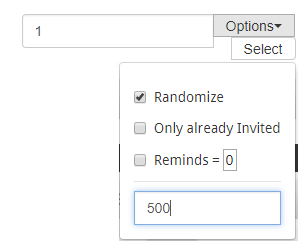
During the invitation it is then possible to select people out of a defined group. Just type in the group name and define how many of those group members you would like to select from the list


Under Options it is possible to apply some additional features:
- Randomization
- Amount of reminds (default=0)
- Number of selections from the list
In the following example 500 respondents from the group “1” are randomly selected.
Depending on the size of your sample the selection process may take a while. Please wait for your browser to have finished the selection process.
If you plan to work through your list step by step you can also do several selections at a time before inviting the selected potential respondents. Example: Select 500 from group 1 and then 300 from group 2 etc.
These powerful features will help you to create better samples. With the soon to come functionality of scheduling e-mail invitations this will make your research better with less work needed.
Grid Lines in questfox Living Reports can be switched off
Posted: 23. March 2018 Filed under: Uncategorized Leave a commentA small improvement before the week-end starts: A simple setting in the charting settings of the questfox living report chart visualisation allows you to just not show any grid lines. It is not much, but it helps.
Here is before…
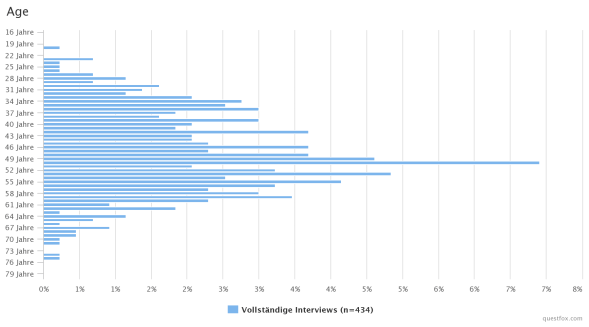
…changing the setting Show Grid Lines

… and after:
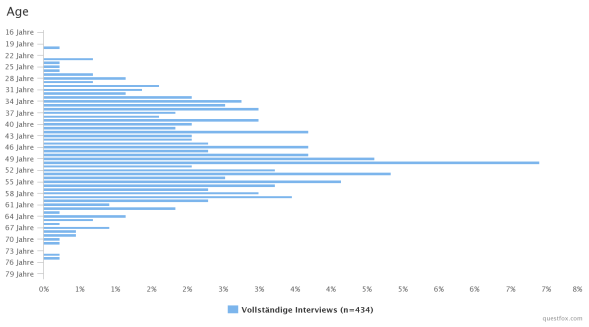
With this simple improvement your creativity of creating living reports is a little less limited to the technical barries. Just test it….
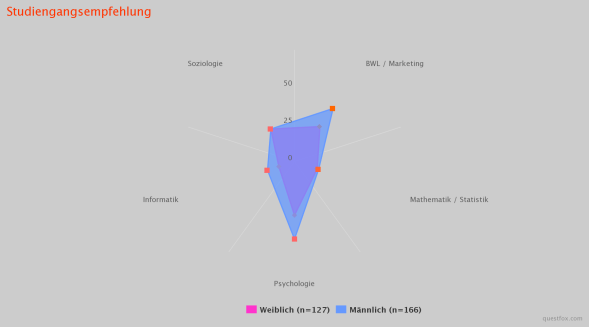
Image and Video pre-load for graphical stimulus control in questfox
Posted: 6. March 2018 Filed under: Uncategorized Leave a commentWith the new features of questfox more and more users are incorporating graphical stimuli into survey with exact time measurement. Some projects use more than 20 MB of graphical material during one survey. Even though we would always recommend to compress the data to the maximum possible still there is the issue of loading time of graphical material.
Our development team is happy to announce the integration of a background pre-loading mechanism for graphical stimuli inside of questfox.
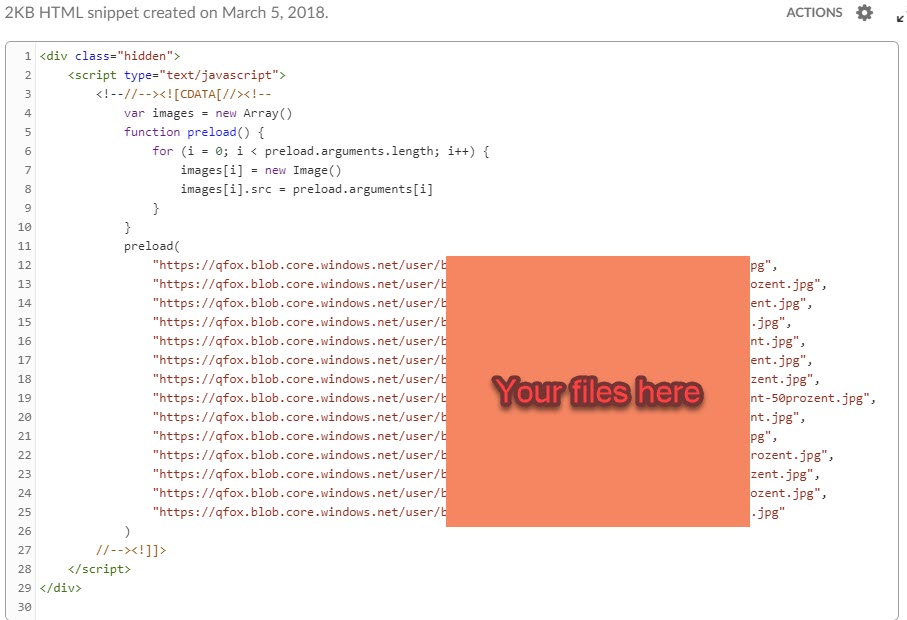
The snippet can be integrated in any HTML question page in your questfox project. Just make sure that you allow enough time for your stimulus material to be loaded before showing it to your respondents.
This is the snippet that you might want to put into a hidden question inside of a questfox question. Please make sure, that you exchange the filenames with the right directory.
<!–
var images = new Array()
function preload(FILENAME:here) {
for (i = 0; i
In case you want to test a video in the survey it makes sense to pre-load this video into the cache of a participant’s browser before you show it later by using the style=”display: none;”.
<p><video style="display: none;" src="https://YOUTVIDEOFILE.mp4" autoplay="autoplay" muted="" width="300" height="150"> </video></p>Tachistoscope in questionnaires with questfox
Posted: 3. March 2018 Filed under: Uncategorized Leave a commentIn the old day a tachistoscope was a hardware device allowing to control the exposition of a picture for an exactly controlled amount of time. This was heavily used in psychology and marketing to figure out effects of understanding and processing time of the human brain.
questfox allows a similar function in the world of software. A tachistostoscope feature can be easily implemented into questfox by setting a time frame for the exposition of a stimulus.
After creating any kind of question page you can define an amount of time in which questfox automatically presses next. The questionnaire will move on after this defined time.
If you want to force the respondents to pass a defined minimum amount of time on the page you can additionally define the delay in seconds.
Here is the setting unter Page Settings 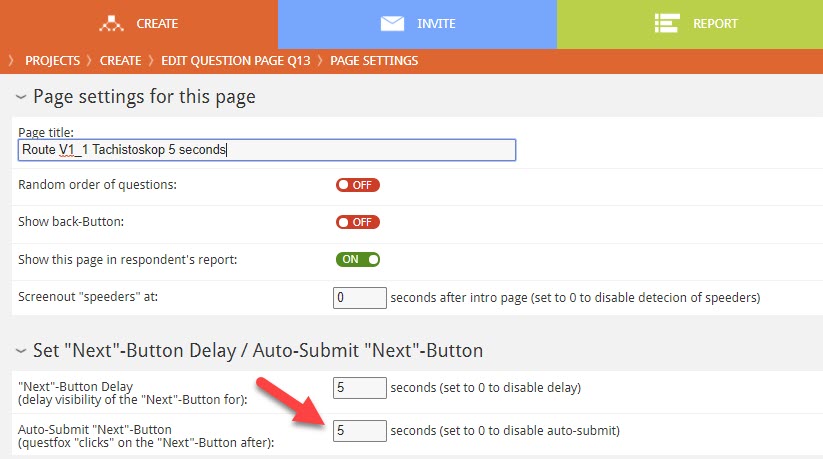
Make sure, that your approach is doable for your selected respondents and also think about the needed loading time for pictures before measuring the time.
This feature can also be used to set time pressure to respondents in choice tasks etc.
TinSort Tricks in questfox
Posted: 1. December 2017 Filed under: Uncategorized Leave a comment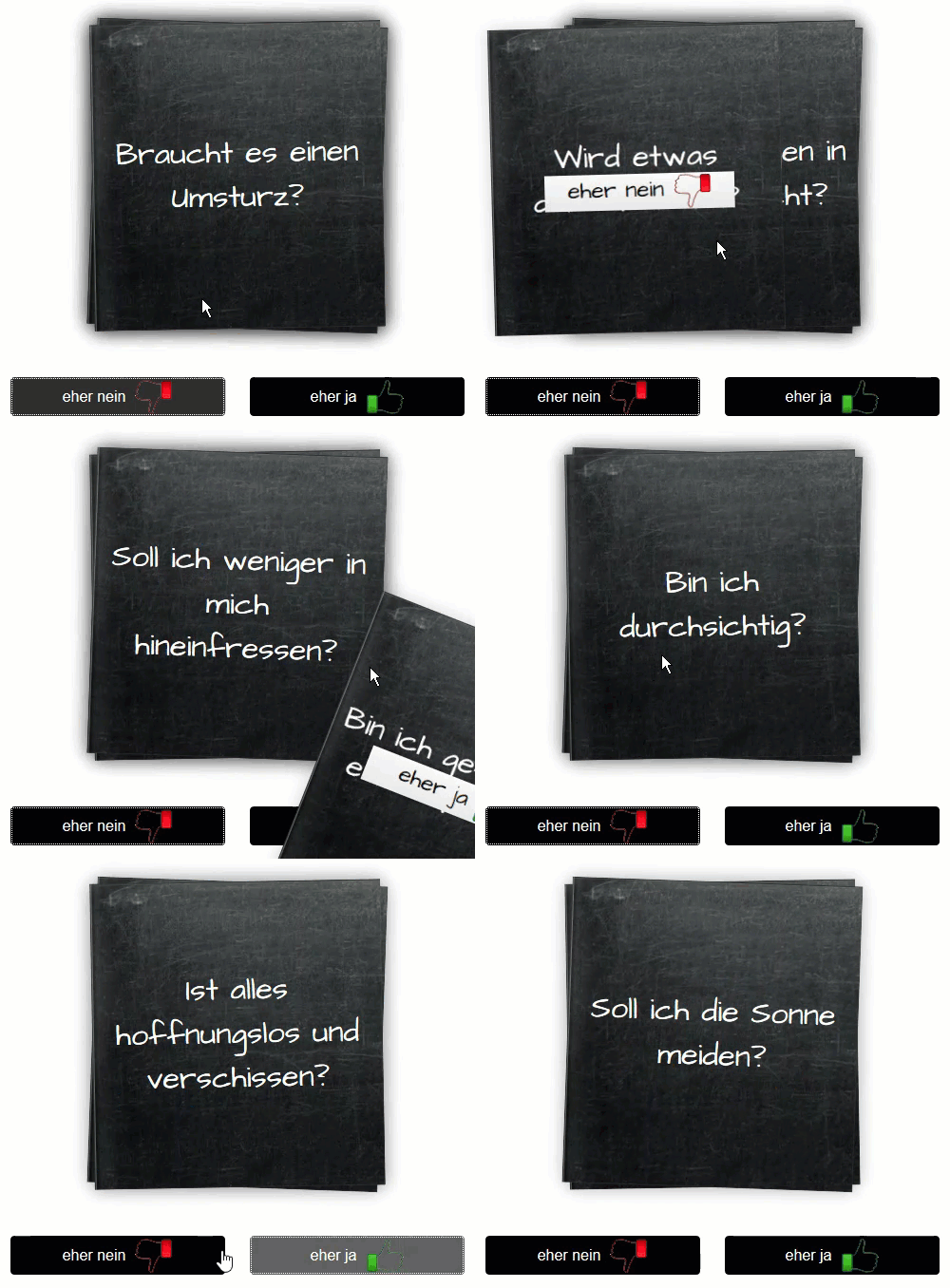
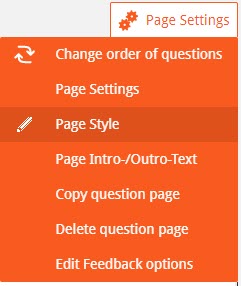
Here are some hints on how to manipulate design features:
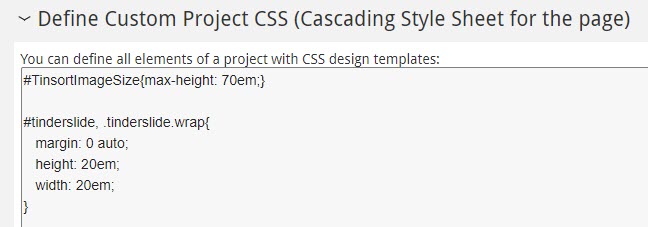
margin: 0 auto;
height: 16em;
width: 12em;
}
#tinderslide > ul > li{
background-image:url(“https://qfox.blob.core.windows.net/user/DigitalFutur/05_screen_backgrounds/blackboard_wallpaper.jpg”;);
}
Manipulating fonts is also possible
#tinderslide > ul > li> div > div.answerTitle.ng-binding.ng-scope{
font-size:1.5em;
}
Definition of Picturesize
#TinsortImageSize{max-height: 15em;}
questfox external ID issues when working with commercial panels
Posted: 10. November 2017 Filed under: Uncategorized Leave a commentEvery commercial panel has its own definition of incoming and outgoing links when it comes to invitations and questionnaire reactions like screen-out; quota-full or different forms of completition.
A small new feature allows questfox users to use the external ID from a panel provider inside a questfox variable. You can use this feature to redirect participants into different branches while using variants of the ID.
The code for the external ID to be used inside of questfox is simply: qf_ExternalID
Create your hidden text variable and integrate a copy of the external ID inside your project using questlogix’ data calculation.
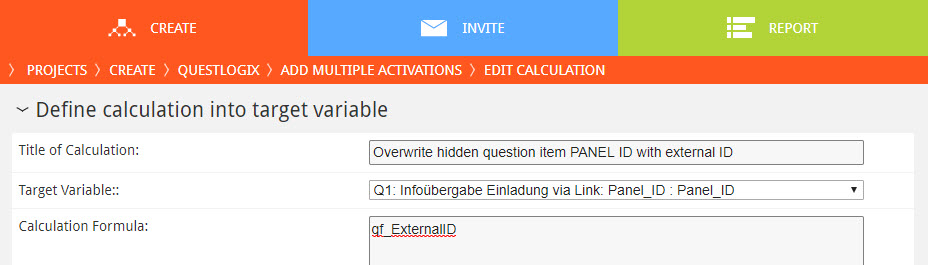
Use your new variable for further re-directs later.
questfox feature alert: “calculations” with text values possible
Posted: 10. November 2017 Filed under: Uncategorized Leave a commentSome of our users demanded more features in questlogix dealing with text. Not a lot of people calculate with text, but with the upcoming voice features we are in need of questlogix that are able to change text input based on defined conditions. Text input can now be changed by the questlogix calculation procedure: It can be used for re-coding and cleaning of data sets.
The new thing is just the fact, that a questfox user can now manipulate text entries with questlogix. Does not sound like much? It is a big step into the new world of using speecht2text answers in analytics. The usage of boolean checks for text will follow soon.
questfox update planned for July 30th
Posted: 14. July 2017 Filed under: Uncategorized 1 CommentDear questfox users around the world
we have some good news for all questfox users, as we are updating some basic infrastructure settings of questfox to cope with the fact that more and more research goes mobile.
Together with those structural updates, we will share the news about an incredible new feature set for mobile research with you soon. questfox will be the first tool to offer something big to the users.
The update is planed for sunday 30th of july. Despite the fact that you should not work on a sunday anyhow, please be prepared for some interruptions in our service to the questfox administrators. The questionnaire level to participants should not be touched by these updates. Only the registered questfox users might face some issues during that day.
By the way: Happy Birthday pangea labs. The developer team of questfox founded the company 11 years ago on July 14th 2006. We will be a revolting teenager soon and hope to never grow adult.
questfox feature alert: Integration of third party questionnaire data
Posted: 18. May 2017 Filed under: Uncategorized Leave a commentMore and more users become fans of the questfox Living Report features. Some of our clients regret that they cannot use this function with survey data that has been created outside of questfox. So we were asked to make the integration of third party software interviews which were conducted outside of questfox possible.
After several innovations we now offer this opportunity to all our users without the need to contact a database expert. Anyhow it is a little tricky to start an import of external data into your questfox project. We try to describe the steps here:
- Generate “empty” interviews in your project
In order to be able to import data, questfox needs to reserve this empty space for the incoming data before importing. We use a little detour to make this happen.
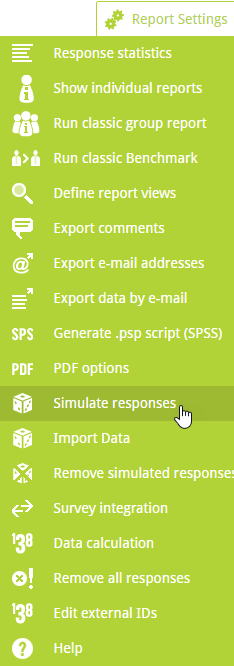
Use the simulation function and click Simulate without adding data to ON.
Define the amount of empty interviews that you would like to create and switch Simulate without adding data to ON.
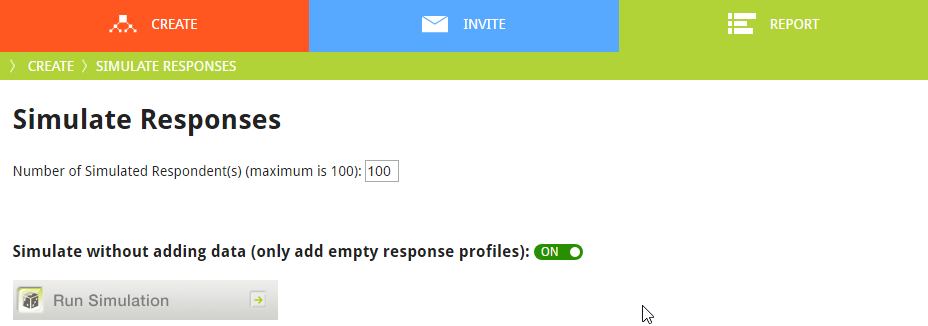
Press Run Simulation. You will receive an email to your registered address once this background process is finished. - You now have the desired amount of empty interviews in your project. Before you can use the import functions you need to know the internal ID of your new empty interviews. To get then you have to export the data once.

- Combine your external data with the internal IDs that you receive from your export questfox file. You can either fill the empty field EXTERNAL RESPONSE ID with your data file ID or use the questfox INTERNAL RESPONSE ID (something like cbb5a7554057409dbf5d36904829efc5) to define a key to merge the incoming data.

- Use the Import Data function to combine the two approaches. See Details

As this procedure is really changing your data we suppose that you first create a copy of your project and try to work with that one. Please remember, that the IDs are different in every project.
questfox feature alert: PDF Upload as question type available in questfox
Posted: 30. March 2017 Filed under: Uncategorized Leave a commentquestfox is used by more and more people in more and more scenarios. One of the requirements of our clients was the opportunity to upload PDF documents during the survey process.
You can now implement the question type PDF upload and ask your respondents to upload a PDF. At the moment we allow a maximum of 10 MB for each upload. Surely there is no reporting on uploaded PDFs possible, but you can download the documents from each respondents case.
 questfox News
